Cost optimisation: cheapest carton, cheapest carrier
When you give the algorithm carrier cost information, it switches from minimising carton count to minimising total shipping cost: the sum of chargeable-weight pricing plus any surcharges, evaluated per carrier, per candidate packing.
This is a /pack-only feature. /pack_pallet does not evaluate carriers.
What you can configure
A carrier preset has four parts. Each part is built by a factory with a name and a parameters object.
-
Billable-weight rule (
billable_weight_calculator). How the carrier converts a parcel's dimensions and weight into a chargeable weight.Name Behaviour StandardVolumetricchargeable = max(actual, (W * H * D) / conversion_factor). Optionalrounding_rule(up,down,nearest) androunding_increment.ActualWeightUse only the actual weight; ignore volumetric. -
Transport pricing (
pricing_model).Name Behaviour Linearcost = fixed_cost + rate_per_gram * billable_weight, with optionalmin_charge.StepRateWeight brackets, each with a base rate and an optional per-increment surcharge. CustomCaller-defined function (advanced). -
Packaging cost (
packaging_cost_calculator).Name Behaviour FixedFlat per-bin packaging cost. FillerMaterialCost scales with wasted volume inside the bin. -
Surcharges (
surcharges, list). Each entry triggers a flat extra fee when the parcel exceeds a threshold.Name Triggered when MaxDimAny dimension exceeds max_dimension.MaxVolumeTotal volume exceeds max_volume.MaxWeightTotal weight (item + tare) exceeds max_weight.GirthA2 * (W + H) + D > max_girth.GirthB2 * (W + D) + H > max_girth.
Carrier selection mode
When multiple carrier presets are passed, the algorithm picks among them. Two strategies, switched by config.CARRIER_SELECTION_MODE:
- Per-bin (default). Each packed bin in an order is evaluated against every carrier independently; the cheapest carrier is assigned per bin. An order with three packed bins can ship via three different carriers.
- Per-order (
"per_order"). The full packing run is repeated once per carrier; the carrier whose total order cost is lowest wins. Every packed bin in that order ships via the same carrier. Use this when one waybill per order is required.
Configure via the web app
The web app provides a form-driven editor and a built-in cost spot-check. Open the Carriers page and add or edit a carrier preset.
Carrier overview
When navigating to the Carriers page, an overview of all configured carriers is presented. A new carrier configuration can be created by clicking on the top-right "Create Carrier" button. Editing an existing carrier configuration can be done by clicking on the pencil icon of that corresponding configuration.

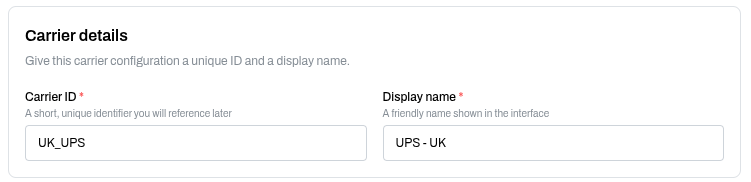
Carrier details
The carrier ID and display name. The carrier ID is the short identifier you reference from the API (config.carrier_preset_ids); it must be unique per account.
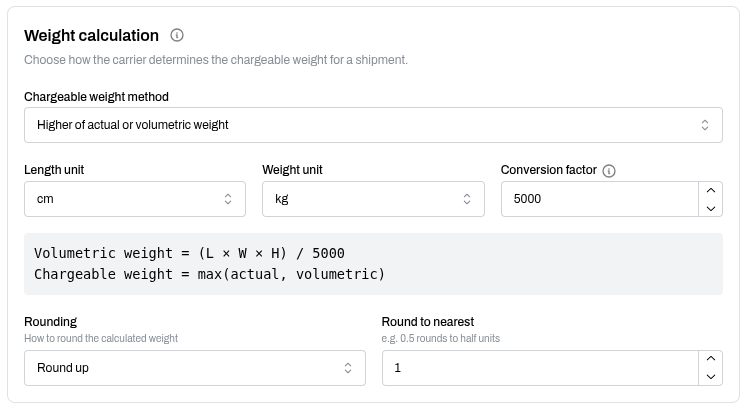
Weight calculation
Pick how the carrier computes chargeable weight (higher of actual or volumetric, actual only, volumetric only), the conversion factor for the volumetric formula (typical values are 5000 or 6000), and an optional rounding rule. The form shows the resulting formula in plain text, for example Volumetric weight = (L * W * H) / 5000 and Chargeable weight = max(actual, volumetric).
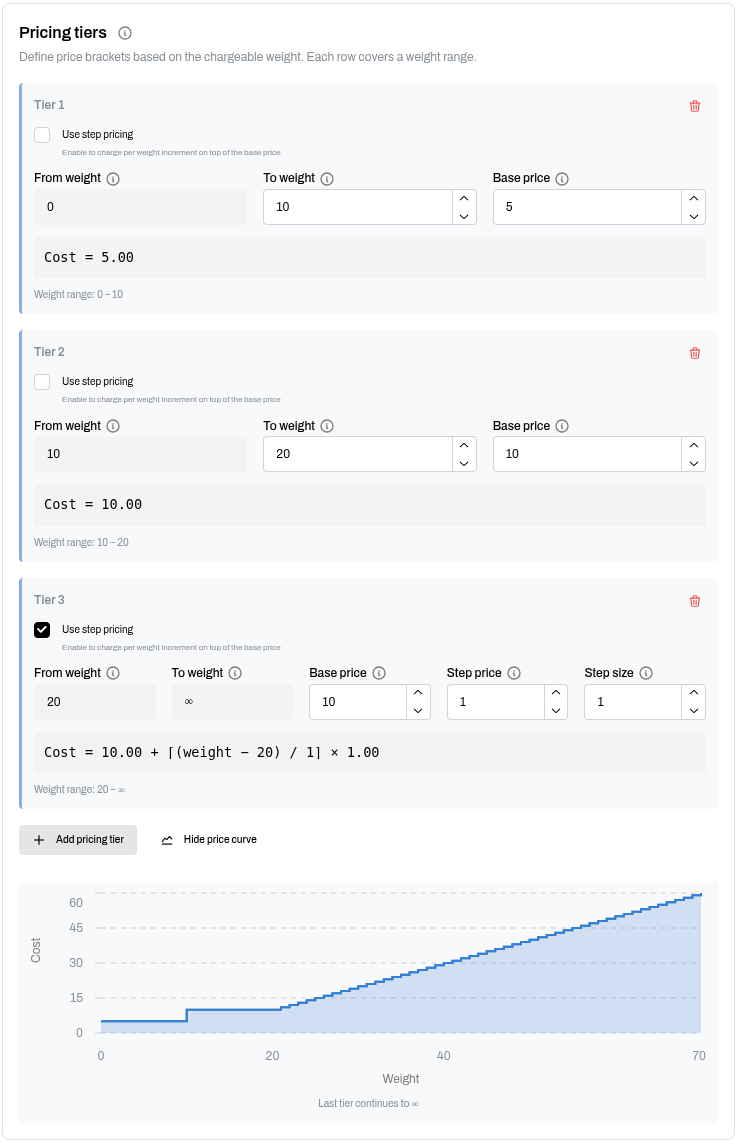
Pricing tiers
Each tier covers a weight range with a base price. Optionally enable step pricing to charge per-weight-increment on top of the base. A Show price curve button visualises how cost scales with chargeable weight.
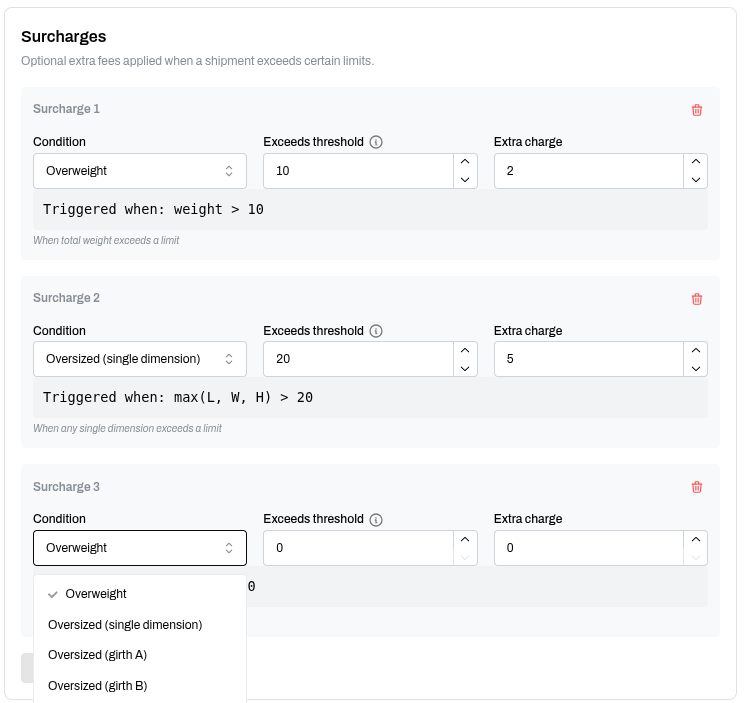
Surcharges
Add as many surcharges as the carrier requires. Each one has a Condition and a Threshold. Available conditions match the API factories (Overweight maps to MaxWeight, Oversized single dimension to MaxDim, Oversized girth A and B to GirthA / GirthB, Over volume to MaxVolume). The form shows a one-line "Triggered when" summary so you can verify the condition before saving.
Cost spot-check
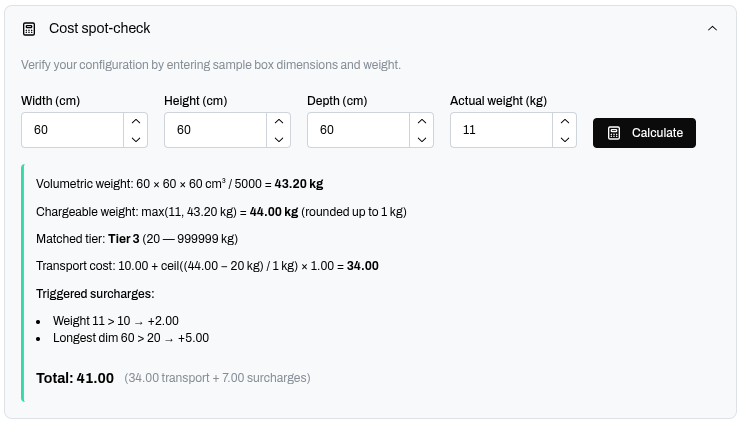
Enter sample dimensions and a weight; the form computes volumetric weight, chargeable weight, matched tier, transport cost, and total. Use this to sanity-check a preset before sending real traffic at it.
Reference the preset from the API
After saving the preset, reference it from your pack request by carrier ID:
{
  "config": {
    "carrier_preset_ids": ["DPD"]
  },
  "orders": [],
  "bins": []
}
Multiple IDs in the array means the algorithm picks the cheapest carrier per bin (or per order, depending on CARRIER_SELECTION_MODE).
Configure inline via the API
If you would rather not touch the web app, pass the full carrier config inline. Same schema, different transport.
{
  "config": {
    "CARRIER_SELECTION_MODE": "per_order",
    "CARRIERS": [
      {
        "carrier_id": "DPD",
        "name": "DPD",
        "billable_weight_calculator": {
          "name": "StandardVolumetric",
          "parameters": { "conversion_factor": 5000 }
        },
        "pricing_model": {
          "name": "StepRate",
          "parameters": {
            "weight_brackets": [[0, 999999, 4.1, 0, 0]]
          }
        },
        "surcharges": [
          { "name": "MaxWeight", "parameters": { "max_weight": 31.5, "surcharge_amount": 34.1 } },
          { "name": "MaxWeight", "parameters": { "max_weight": 20,   "surcharge_amount": 1.9  } },
          { "name": "GirthA",    "parameters": { "max_girth": 310,   "surcharge_amount": 36   } }
        ]
      }
    ]
  },
  "orders": [],
  "bins": []
}
The web app's API usage panel emits exactly this JSON for any saved preset, so you can copy-paste from a working preset rather than hand-writing the config.
Per-bin cost overrides
For simple cases (no carrier nuance, just "this carton costs 1.20 to ship"), set packaging_cost and transport_cost directly on the bin:
{
  "id": "carton_S",
  "width": 20, "height": 15, "depth": 10,
  "packaging_cost": 0.30,
  "transport_cost": 1.20
}
When no carrier presets are attached, the algorithm falls back to these fixed per-bin values.
How the algorithm uses the cost information
In per-order mode (CARRIER_SELECTION_MODE = "per_order"):
- Run the full packing once per carrier.
- For each result, sum per-bin transport, packaging, and surcharges.
- Pick fewest unfitted items, then lowest total cost.
In per-bin mode (default):
- Run the packer once.
- For each packed bin, evaluate every carrier and pick the cheapest one.
Both modes can change which carton the algorithm picks (cost-aware bin selection), not only which carrier: a slightly larger carton may win if shrinking would cross a surcharge threshold. When adjust_*_min is also in play, the cost evaluation takes into account possible shrinking, so the chosen shape is the one that minimises total cost at its shrunk dimensions.